Deep sky from a Bortle 9 city
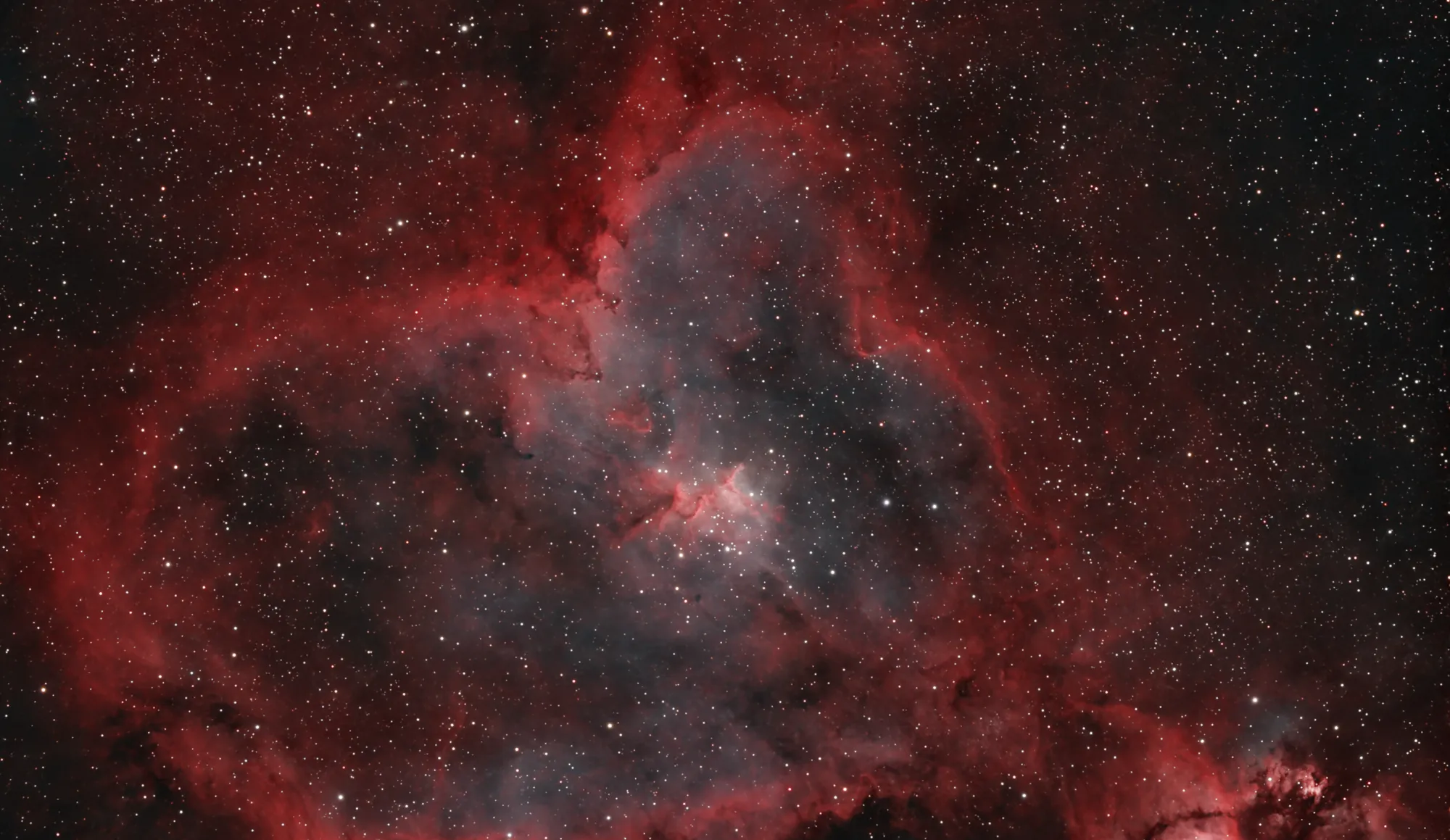
Tyumen sits at the bottom of the Bortle scale: the sky glows orange, and from home you can count the stars with your fingers. This is how I still get nebulae and galaxies out of it.
In short
- Sky: Bortle 9, city centre
- Up to 25 hours on one target
- About 5x the exposure of a normal sky
- Dual-band and quad-band filters for nebulae
- Mask-based processing
- PixInsight with RC Astro plugins
The problem
Bortle 9 is the worst class of sky there is: inner-city glow from streetlights, signs and windows. The faint light of a nebula arrives at the camera together with a much brighter wash of city light, and in a single frame the nebula is often invisible.
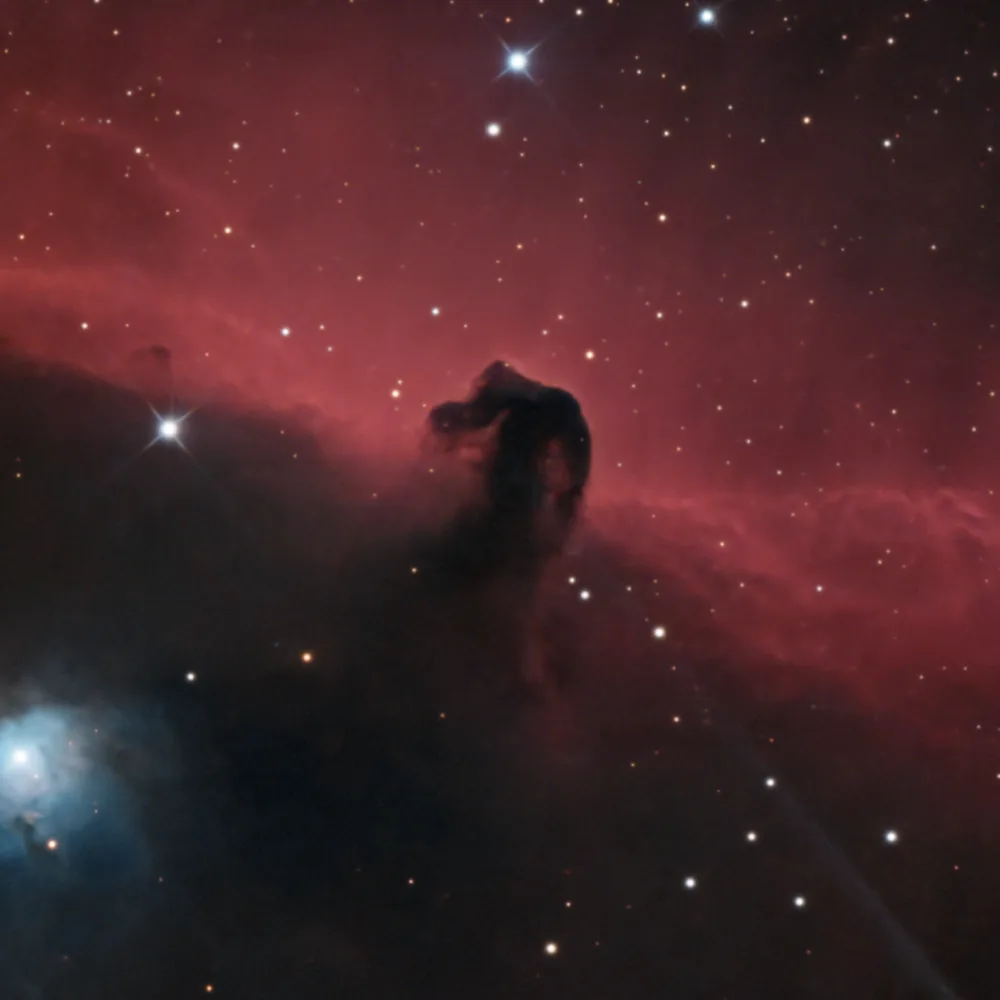
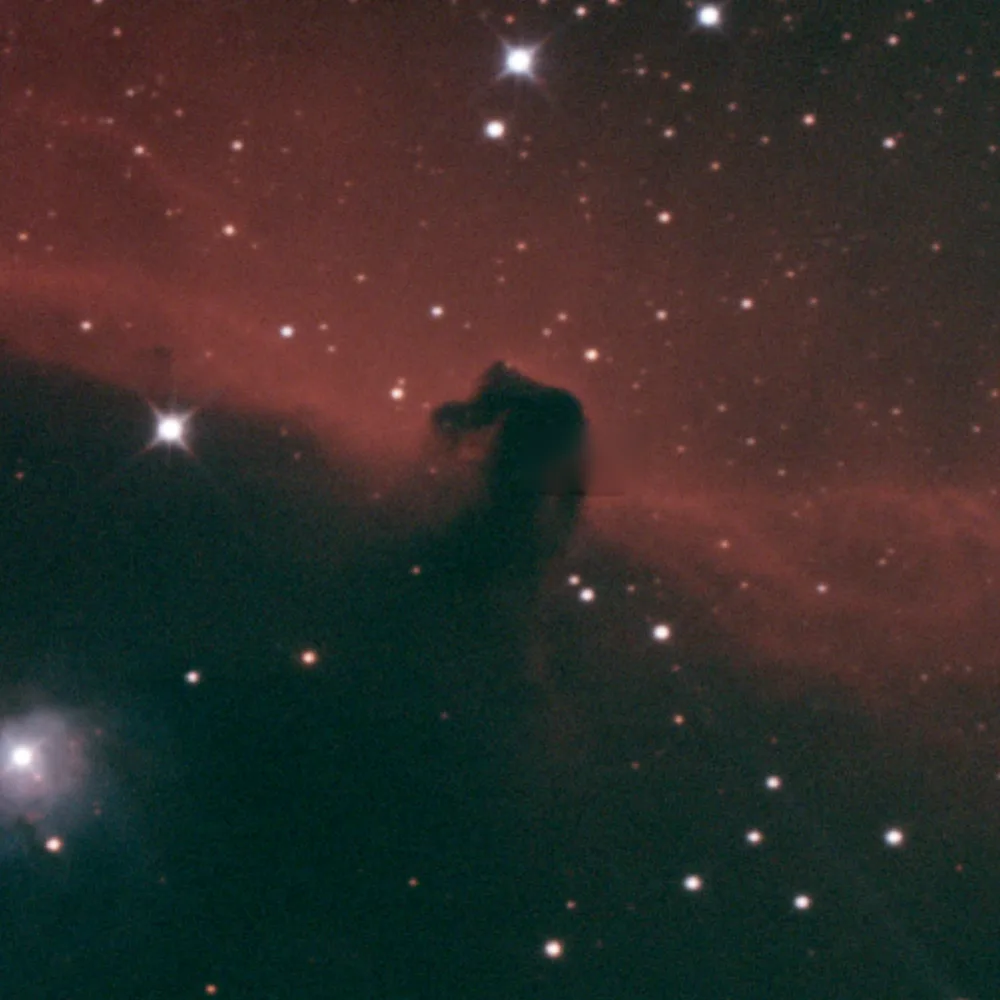
Right now I do not have time to drive out of town on clear nights, so I learned to shoot from where I live. The before and after comparison at the end of this page shows what a stack straight from the city looks like.
Filters
The first thing that works is narrowband filters. Emission nebulae glow at a few specific wavelengths, mostly hydrogen-alpha and oxygen III, while streetlights spread across the whole spectrum. A dual-band filter like my SVBony SV220 (7 nm) or the Antlia quad-band lets through almost only the nebula's lines and cuts most of the city.
For galaxies and star clusters this does not help: their light covers the whole spectrum too, so a filter would cut them along with the city. There the only answer is more time.
Time
Every extra hour of exposure raises the signal above the noise. From the city I need roughly five times more total exposure than the same target would take under a normal sky. That is why a single target can take me 25 hours collected over a whole season, a few clear nights at a time.
To make those hours possible I upgraded the setup step by step: a motorised mount, then autoguiding, then a strain-wave mount and a cooled camera controlled by an ASIAIR, so the rig can run on its own all night.
Processing
Even a good stack from the city looks flat and grey. Stretching the whole image at once brings up the light pollution gradient together with the nebula, so I work with masks: separate the nebula from the background and stars, then pull out detail and colour only where there is real signal, and keep the background dark and clean.
Without masks there is not much detail to show. With them, the faint outer structures that were buried in the glow come back, which is what the slider below shows.
I process in PixInsight with the RC Astro plugins. Out of curiosity I also wrote my own small Python tools for sharpening and denoising, with FITS and TIFF support, to understand how these steps work under the hood.
Sharing it
Most people who start astrophotography live in cities too and give up after the first grey frames. On my Telegram channel and YouTube I show how to process images shot in light-polluted skies, step by step, so that the city is not a reason to stop.
Before and after processing
Left: the stacked frames straight out of stacking. Right: the finished image. Drag the slider.
 Stacked, before processingAfter processing